


Phone Cleaner AI & Antivirus
3.829.00 Reviews
App Specs
- Version
- 1.0.50
- Updated On
- License
- Free
- Downloads
- 10,000,000+
- Developer
- Global Antivirus Security
- Categories
- Productivity
- Platform
- Android
Screenshots
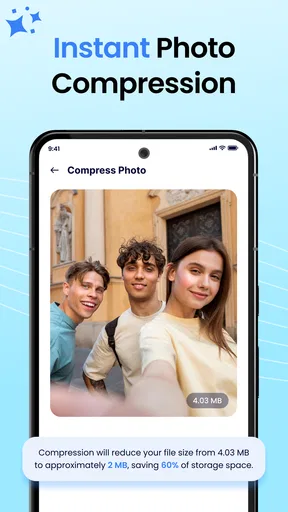
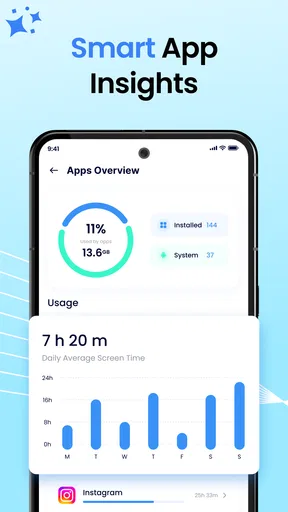
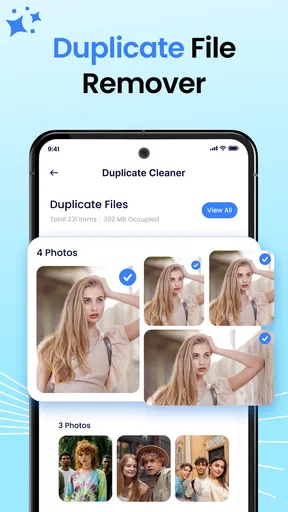
 Analysis by AppCompare
When my phone starts warning me about low storage, I don’t want a complicated maintenance routine; I want to know what is taking up room and decide what is safe to remove. That is the practical question behind Phone Cleaner – Junk Cleaner, a free productivity app from Global Antivirus Security. It has a 4.0 average from around 921 ratings and over 10 million installs, which suggests plenty of people are looking for a straightforward cleanup tool. My view is that it is most useful as a prompt to review clutter, not as a magic fix for every slow phone.
What Does Phone Cleaner Do?
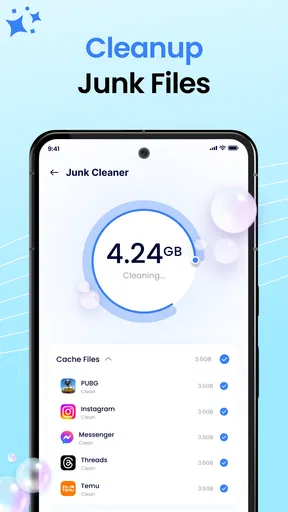
First things first, Phone Cleaner – Junk Cleaner is designed to give your phone a good old spring clean. It sweeps out those sneaky junk files, clears up cache, and helps you reclaim precious storage space. You know, the kind of stuff that accumulates when you’re endlessly scrolling through social media or downloading memes.
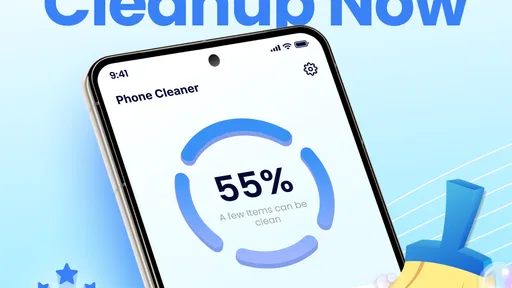
The app’s interface is pretty straightforward. You’re greeted with a dashboard that displays your phone’s current storage status. It’s like having a personal assistant that tells you, "Hey, maybe it’s time to delete those 500 pictures of your dog." The simplicity is a breath of fresh air, especially if you’re not exactly tech-savvy.
Features to Love
Let’s talk features. This app isn’t just a one-trick pony. Here’s what I found:
- Junk File Cleaning: It identifies and removes unnecessary files that are just taking up space.
- Cache Cleaning: Clears the cache files left by various apps, which can speed things up significantly.
- Memory Boost: This feature helps in freeing up RAM to improve your phone’s performance.
- Battery Saver: It analyzes battery usage and helps in extending battery life by closing background apps.
Now, I know what you’re thinking. "Great, but does it really work?" Well, from my experience, I noticed a marked improvement in my phone’s speed and responsiveness. It’s like giving your phone a shot of espresso.
Choosing a Cleaner That Fits Your Habits
Before installing any cleanup app, I’d ask myself what problem I’m actually trying to solve. If the issue is a nearly full storage bar, a tool that identifies expendable files may be useful. If the phone feels slow but still has plenty of space, deleting temporary files may not address the cause. A cleaner can help with clutter; it cannot make an older processor behave like a newer one or fix every app that has become sluggish.
This distinction matters because “cleaning” can sound more comprehensive than it is. Phone Cleaner is centered on space recovery and maintenance actions, so I’d approach it as a way to inspect and manage digital housekeeping. I wouldn’t install it expecting a permanent speed boost or a guarantee that the battery will last longer. Those outcomes depend on what is running, how the phone is used, and which files are safe to remove.
Worth Reading Before You Choose

EA SPORTS FC Mobile 26 Is a Bigger Football Game, but It Takes Time

Flipboard Shows What News Apps Must Do Beyond the Feed

Switching to Android Auto Means Rethinking Your Driving Routine

Google Calendar Makes a Crowded Week Easier to Manage

Ludo King Makes the Most of the Minutes Between Plans

Baby Panda World Brings Quick Play to Modern Phones, but Its Game Library Feels Busy
It is also worth deciding how much control you want. A one-tap routine is convenient, but storage is personal: a file that looks disposable to an automated scan may be something you still need. I prefer to treat the scan as a shortlist, then pause before confirming anything that I don’t recognize. That small habit is more useful than tapping every cleanup button as quickly as possible.
Where It Can Help in Everyday Use
A realistic example is a phone that has accumulated downloads, temporary app data, and other leftovers after months of ordinary use. Perhaps you are trying to install an update or save a video before a trip, and the device says there is not enough room. In that moment, a storage overview and a cleanup scan can help you decide what to tackle first, rather than opening every app and guessing where the space went.
I’d use it as part of a short check-in: scan, look over the suggested cleanup, remove items I understand, then revisit storage to see whether the change was enough. If it isn’t, I’d move to larger, more deliberate choices, such as reviewing downloaded media or files I no longer need. This order is useful because removing a little cache may help, but large personal videos or offline downloads can be the real space hogs.
There is a less obvious benefit to this workflow: it can reveal whether routine cleaning is actually solving the problem. If the storage warning returns soon after each scan, repeated cleanup may be treating a symptom rather than the source. I would then check which apps keep accumulating data or whether I am saving copies of content in several places. That makes the cleaner a diagnostic starting point, even when the best next step is outside the app.
For someone who is uncomfortable navigating system settings, the app’s simple dashboard may make the first pass less intimidating. That does not mean it replaces learning where a phone’s own storage controls are. I see it as a more approachable entry point, especially for a family member who wants a clear prompt instead of a maze of menus, with the important caveat that they should still review proposed deletions.
Using the App: Simple and Straightforward
Installing the app is a breeze. Just hit download, and you’re on your way. Once you fire it up, it’s all about pressing that big clean button and watching the magic happen. I appreciated how it doesn’t bombard you with ads or unnecessary notifications. It’s all about getting the job done without any fuss.
The app also provides a detailed scan report, showing you exactly what’s being deleted or optimized. It’s reassuring to see what’s actually happening under the hood.
What to Check Before You Clean
A report is most valuable when I use it to make a decision, not simply as a reassuring animation before a big button. I’d read the listed categories and pay attention to anything that could include files I recognize or may want later. If a scan offers a bulk action, I would first understand its scope; when I’m unsure, I’d leave the questionable item alone and use the phone’s own file or app controls to inspect it.
Cache is a good example of a trade-off. Clearing it can recover space, but apps may need to rebuild temporary data afterward, so some content can take longer to load the next time. That doesn’t make cache cleaning pointless; it just means I wouldn’t run it constantly for the sake of seeing a clean dashboard. If storage is comfortable and apps are behaving normally, leaving cached data in place may be the less disruptive choice.
I’d also avoid confusing memory with storage. Freeing RAM and reclaiming storage are different jobs. Closing background apps may make a phone feel less busy for a while, but it is not a substitute for deleting large files when the storage drive is full. Nor does closing apps automatically mean better battery life in every situation; the result can depend on the app and how the operating system manages it. I treat those tools as optional maintenance rather than a promised performance upgrade.
One practical tip is to avoid cleaning immediately before you need a file. If I’m about to travel, present a document, or use an app offline, I’d first make sure the relevant downloads and saved content are still available. Another is to take a moment after a cleanup to open the apps I rely on and confirm they behave as expected. These checks are simple, but they reduce the chance of turning a quick tidy-up into a frustrating search for something I meant to keep.
Where Alternatives May Fit Better
The usual alternatives fall into a few broad groups. A phone’s built-in storage manager is often the sensible first stop if I only need to review space or remove files, because it avoids adding another maintenance app. A dedicated file manager may be better when I want to inspect folders and choose items manually. A photo or cloud-storage workflow is more appropriate when pictures and videos, rather than temporary files, are consuming most of the room.
Phone Cleaner’s appeal is convenience: it gathers cleanup-oriented actions in one place and presents them in a direct way. That can suit someone who wants a guided scan and does not enjoy sorting through settings. The trade-off is that an all-in-one cleaner may encourage a broad cleanup when a targeted fix would be safer. If I know exactly what is taking space, I generally prefer to handle that specific category rather than ask a general-purpose tool to tidy everything.
For persistent performance problems, I would look beyond cleaners altogether. A particular app may be misbehaving, a system update may be needed, or the device may simply be reaching the limits of its hardware. Restarting the phone, updating apps, or checking storage through system settings can be more relevant than another cleanup pass. I would not keep installing several cleaners in succession; they can add more maintenance and decision-making without solving the underlying issue.
This app is therefore a better match for people who want an accessible cleanup assistant than for users who want detailed file-by-file control. Someone who already knows how to manage storage and prefers minimal extra software may gain little. Someone who wants a scan to point out possible clutter, then plans to make their own choices, is more likely to find the format useful.
Cost, Compatibility, and the Cost of Switching
The app is free to install, with in-app purchases listed from $8.99 to $38.99 per item. I’d start with the free experience and decide whether it solves a real recurring problem before considering any purchase. A cleaner should earn a place on my phone through useful results, not through the promise that paying will somehow make every device issue disappear. I’d also read the purchase details carefully at the point of decision so I know what I’m choosing.
It is rated for Everyone, and its listed minimum operating-system requirement is Android 7.0. The current version is 1.0.37, and it was released on April 13, 2026. Those details make compatibility worth checking before installation, particularly if you use an older device or are helping someone else set up the app. Because it is a maintenance tool, I would also keep my expectations modest: an app version number alone does not tell me how much extra space a particular scan will recover.
Switching to it from a built-in cleaner is not necessarily a major commitment, but adding any app means another interface to learn and another tool to evaluate. I’d compare the app’s suggestions with what the phone already reports before making it part of a routine. If both approaches point to the same removable clutter, I can choose the one I find clearer. If they disagree, I would favor the option that gives me a better view of the actual files and preserves my control.
There is also a habit cost. A one-tap cleaner can make it tempting to run scans whenever the phone feels slow, even when the issue is unrelated to storage. I’d use it when I have a specific reason—low space, a planned tidy-up, or a need to inspect accumulated junk—rather than treating daily cleaning as necessary. That keeps the tool in its proper role and reduces unnecessary cache clearing or app-closing.
Who Should Use It—and Who Should Skip It
I’d recommend trying Phone Cleaner if storage warnings are a recurring nuisance, you want a simple overview, and you are willing to review the scan rather than blindly accept every suggestion. It may also suit someone who helps a less technical relative keep a phone organized: the visible dashboard and direct cleanup approach can make a confusing chore easier to discuss and manage together.
I’d skip it if you expect a cleaner to transform an old phone, dramatically extend battery life, or permanently stop apps from slowing down. I’d also choose another approach if I need precise control over folders, if I am already comfortable with the phone’s own storage manager, or if I would rather avoid installing a separate app for occasional maintenance. People with very little free space should be especially careful not to assume that a scan alone will recover enough room for a large update or download.
For the cautious user, the best routine is selective rather than automatic: inspect the report, remove only what makes sense, and check the phone’s storage afterward. If the same warning comes back quickly, investigate the content or apps filling the device instead of repeating the same cleanup. That approach makes the app more useful while keeping the user—not the cleaner—in charge.
Is It Worth It?
So, is Phone Cleaner – Junk Cleaner worth your time? In my humble opinion, absolutely. If you’re struggling with a sluggish phone and storage issues, this app is like hitting the reset button. It’s not going to solve world peace, but it’ll sure make your phone feel brand new.
While it’s mostly smooth sailing, it’s worth mentioning that, like any cleaning app, it’s not infallible. It’s wise to double-check what’s being deleted to avoid any "oops" moments.
Overall, if you’re looking for a handy little app that keeps your phone running smoothly, this might just be your new best friend. So, go ahead, give it a whirl, and let your phone breathe a little easier.
Pros
- Efficiently clears cache and junk files.
- Boosts device performance noticeably.
- User-friendly interface for easy navigation.
- Battery saver feature extends phone life.
- Privacy protection tools included.
Cons
- Ads can be intrusive at times.
- Some features require in-app purchases.
- May occasionally misidentify important files.
- Limited customer support options.
- Interface lacks customization options.
FAQs for Phone Cleaner AI & Antivirus
What is Phone Cleaner – Junk Cleaner and how does it work?
Phone Cleaner – Junk Cleaner is an app designed to optimize your smartphone by removing unnecessary files and cache that can slow down your device. It scans your phone for junk files, temporary files, and residual files from uninstalled apps, then safely deletes them to free up storage space and enhance performance.
Is Phone Cleaner – Junk Cleaner safe to use on my device?
Yes, Phone Cleaner – Junk Cleaner is safe to use. It only targets junk files and does not access personal data or important system files. The app uses advanced algorithms to ensure that only non-essential files are removed, which protects your device's functionality and personal information.
Will using Phone Cleaner – Junk Cleaner improve my phone's speed?
Yes, by removing junk files and clearing cache, Phone Cleaner – Junk Cleaner can help improve your phone's speed. This process frees up RAM and storage space, allowing your device to run more smoothly and efficiently, reducing lag and enhancing overall performance.
Does Phone Cleaner – Junk Cleaner offer real-time protection and optimization?
Phone Cleaner – Junk Cleaner typically provides real-time monitoring to detect and clean junk files as they accumulate. Some versions may offer additional features like real-time RAM boosting or battery optimization, ensuring your device maintains optimal performance without manual intervention.
Are there any additional features offered by Phone Cleaner – Junk Cleaner?
Apart from cleaning junk files, Phone Cleaner – Junk Cleaner may include features like app management, battery saver, and CPU cooler. These tools help manage apps that drain battery, reduce device temperature, and extend battery life, providing a comprehensive optimization solution for your smartphone.


